Automatic state intervals
Running, stopped, idle and faulted time is calculated from machine state changes, not from manual entries.

Downtime tracking software
Astara records every stop directly from your PLC-controlled equipment, so lost time is measured rather than remembered. See how long each machine ran, stopped, idled or faulted, and what caused it.
Why manual logs fall short
Paper downtime sheets and end-of-shift spreadsheets miss the short stops, round the long ones and rarely agree with what the machine actually did.
Astara takes machine state and fault codes straight from the controller. Every state change becomes a timed interval, so the downtime record is complete before anyone picks up a pen.
Talk to us about your lineWhat you can see
Downtime is only useful when it is trustworthy and explained. Astara keeps the evidence and the explanation together.
Running, stopped, idle and faulted time is calculated from machine state changes, not from manual entries.
When a machine or gateway is offline, the time is shown as unknown. It is never silently counted as stopped.
Raw PLC fault numbers are explained by each machine's own alarm code list, so a stop reads as a cause, not a number.
Supervisors classify stops against a reason list your administrators control, turning events into categories you can act on.
See which alarms repeat, how long they last and which ones are linked to stops, so the next fix targets the biggest loss.
Compare today, the last 8 or 24 hours, the last 7 days or a custom range against the previous period.
From stops to decisions
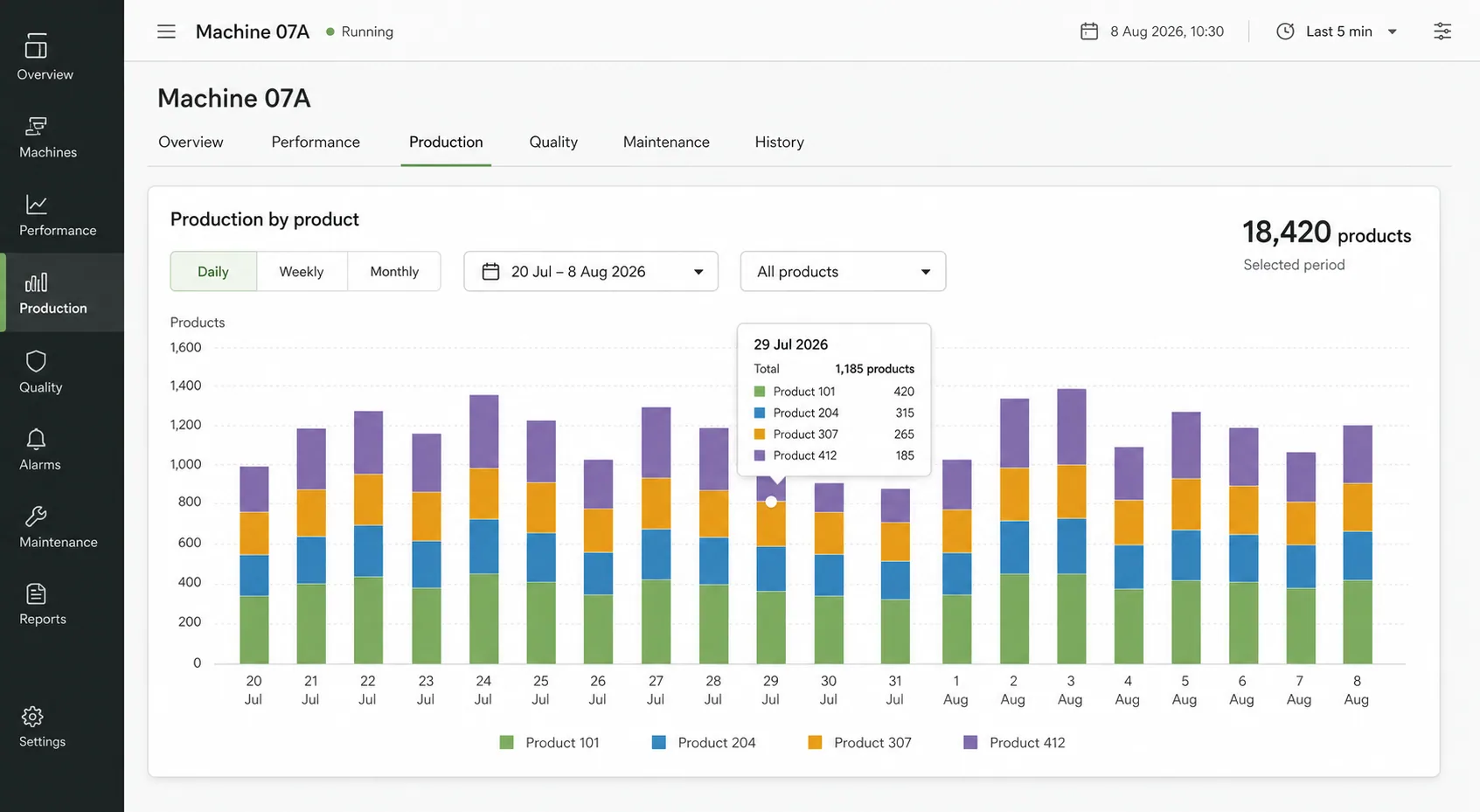
Each machine has a time-allocation view and a fault timeline, backed by a weekly report your team can take into a production meeting.
Common questions
More from Astara
Start with one machine
Bring a machine, a spreadsheet or simply a question. We'll show you what a clearer operational story can look like.
Contact Astara