
The workspace
Every machine. One operating picture.
Move from a site-wide snapshot into a single machine. Compare production, understand lost time and give recurring issues somewhere to go. It runs in the browser, on the office PC or a tablet on the floor.
What you see
The questions asked every morning, answered from the machine.
Site snapshot
Every machine on one screen: what it is doing now, what it has made and whether its data is current.
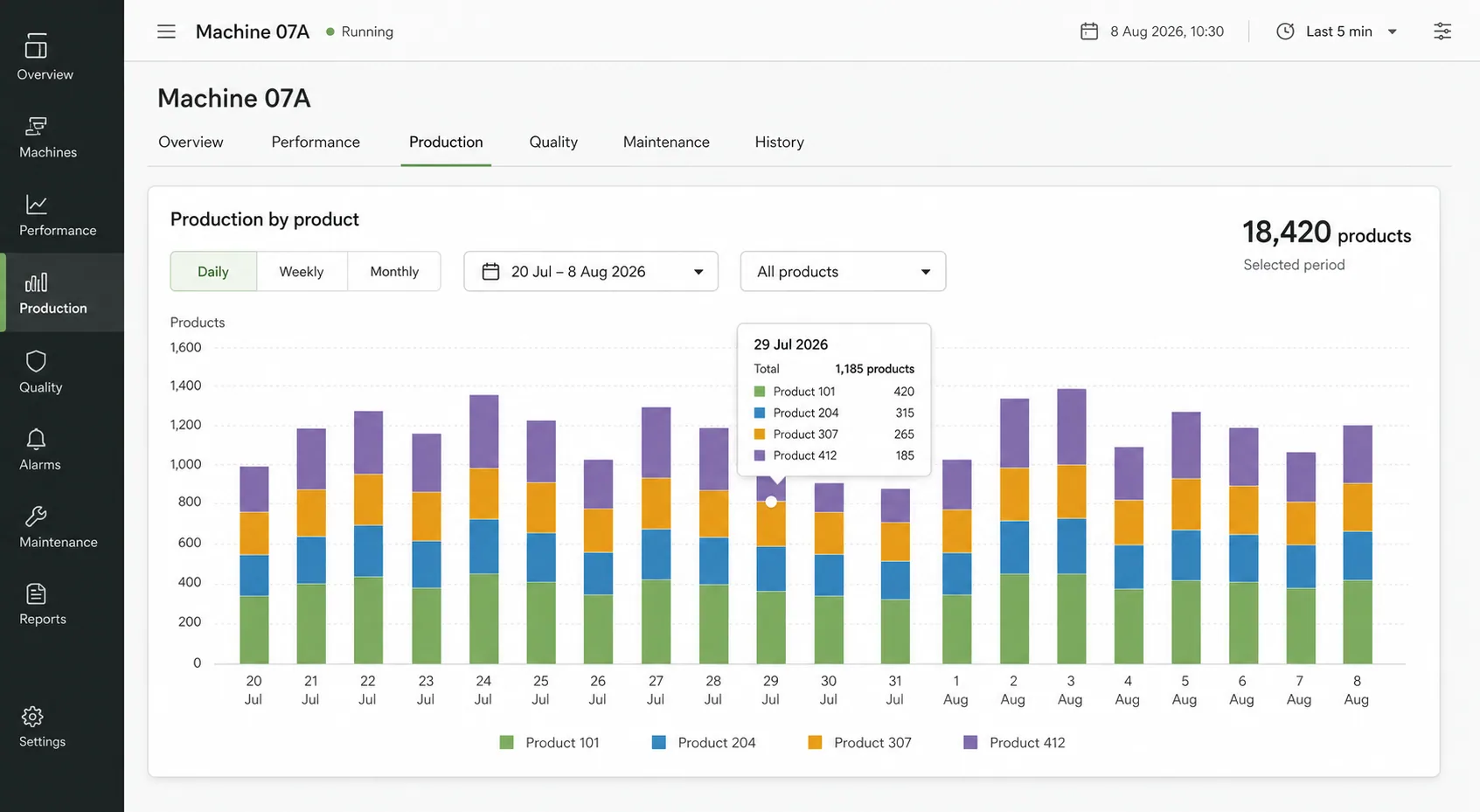
Production by product
Totals for each product a machine made, by day, in the unit your team works in.
Time allocation
Running, stopped, idle, faulted and unknown time for any period, compared with the period before.
Fault timeline
Every fault in order, with how long it lasted. The most recent fault is always in view.
Downtime reasons
Supervisors give a stop its reason from a list your administrators keep, so lost time falls into categories you can act on.
Production plans
Enter what a machine should make and follow what it actually made against the plan.
Alarm codes
Each machine keeps its own alarm list, so a raw PLC number reads as a cause, not a number.
Weekly report
Run time, idle time and fault count for the week, ready for the production meeting.
Honest numbers
Unknown is shown as unknown.
Production counters are read as positive changes, so a counter reset, a rollover or a reading that arrives late does not invent or lose product. Machine time is measured from state changes, never averaged.
When a machine or its gateway is offline, that time is shown as unknown. It is never quietly counted as stopped, so a downtime figure means the machine really was down.
Your team
Everyone included. Each with their own role.
There is no charge per user. Each organisation's data is kept apart from every other customer's by the database itself.
Organisation admin
People, machines, the reason list and billing.
Supervisor
Gives stops their reasons, and plans production.
Planner
Enters and changes production plans.
Viewer
Sees everything, changes nothing.
Features
More from Astara
How it works
From a PLC signal to a decision-ready shift.
Read moreDowntime tracking
See where operating time went, and why.
Read moreMachine monitoring
Live state and production across every site.
Read moreOEE
The availability and performance evidence behind OEE.
Read morePLC data collection
Read-only OPC UA collection at the edge.
Read moreFood & packaging
Production visibility for food and packaging lines.
Read moreStart with one machine. Make the next shift easier to understand.
Bring a machine, a spreadsheet or simply a question. We'll show you what a clearer operational story can look like.
Book a demo