Machine downtime tracking: from whiteboards to PLC data
Why manual downtime logs miss most of your losses, and how tracking machine downtime automatically from the PLC gives you an accurate, timed record of every stop.
Walk into most small manufacturing plants and you'll find downtime tracked one of three ways: a whiteboard by the line, a spreadsheet the supervisor fills in at the end of the shift, or not at all. Each one is better than nothing. None of them tells you how much time your machines actually lose. This article explains why, and what changes when machine downtime is tracked automatically from the PLC.
What manual downtime logs miss
Short stops
A case packer that jams for 90 seconds, gets cleared and restarts rarely makes it onto a whiteboard. Thirty of those in a shift is 45 minutes of lost production, often more than the one big breakdown everyone remembers. Manual logs are biased towards long, dramatic stops, and short ones are where many lines lose the most time.
Accurate durations
When someone writes “filler down 10:15–10:40”, the times are estimates written after the event. Rounding to five or fifteen minutes is normal. Across a week the errors add up, and comparing one shift with another becomes guesswork.
Night shifts and weekends
Manual records are only as good as the person on shift. When the line is short-staffed, recording downtime is the first thing that stops happening, and those are exactly the shifts you most need to see.
Time to analyse
Even a well-kept spreadsheet has to be typed up, cleaned and charted before anyone can learn from it. By the time the Pareto chart reaches the production meeting, the problem is two weeks old.
How automatic downtime tracking works
Nearly every modern packaging and processing machine is controlled by a PLC, and the PLC already knows what state the machine is in: running, idle, stopped, in fault or in manual. Automatic downtime tracking reads that state directly.
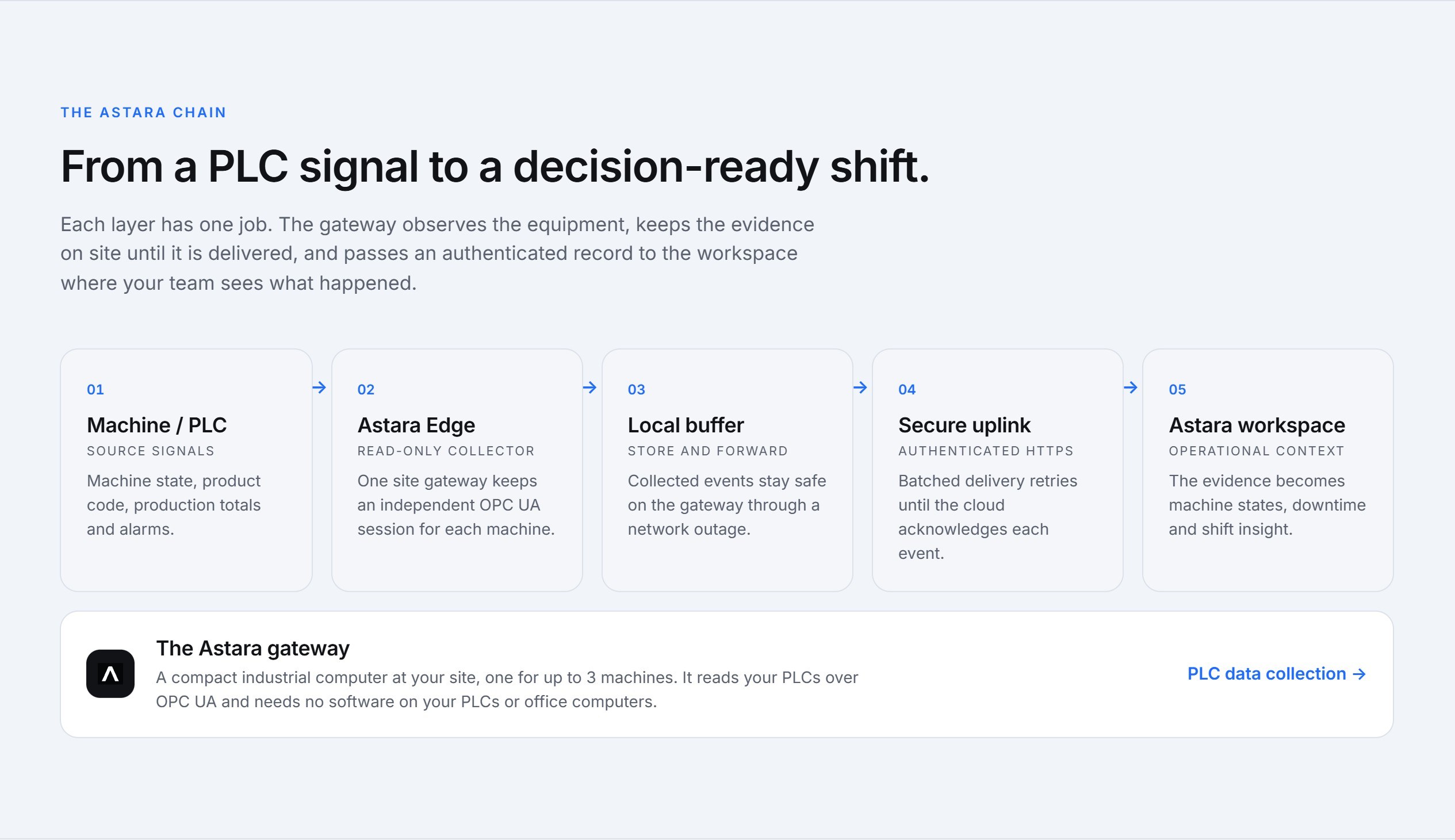
- A gateway on site connects to the PLC, typically over OPC UA, and subscribes to a handful of signals: machine state, product code, a production counter, and optionally the fault code.
- Every state change becomes a timed interval. A stop from 10:14:32 to 10:16:05 is recorded as exactly that: 1 minute 33 seconds, with the product that was running.
- Fault codes explain the stop. If the PLC reports an alarm number, it is translated using that machine's own alarm list, for example “Carton magazine empty”.
- People add only what the machine can't know. A supervisor classifies the stops that matter against the site's reason list, after the fact, without stopwatches.
What you can see that you couldn't before
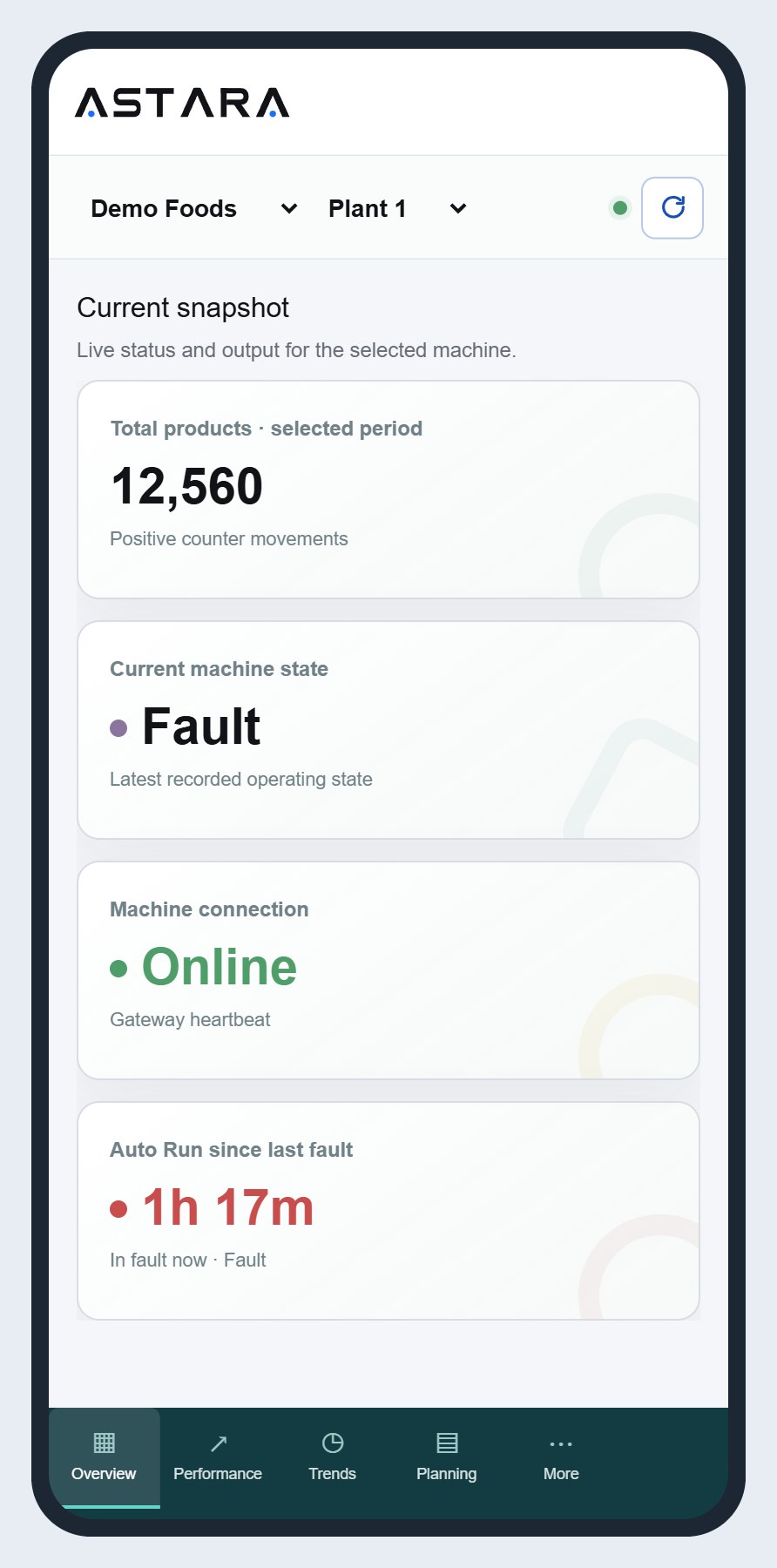
- Time by machine state for any shift, day or week: how much was Auto Run, idle, fault, stopped and offline.
- Fault count and mean time between faults, so you know whether a machine is getting more or less reliable.
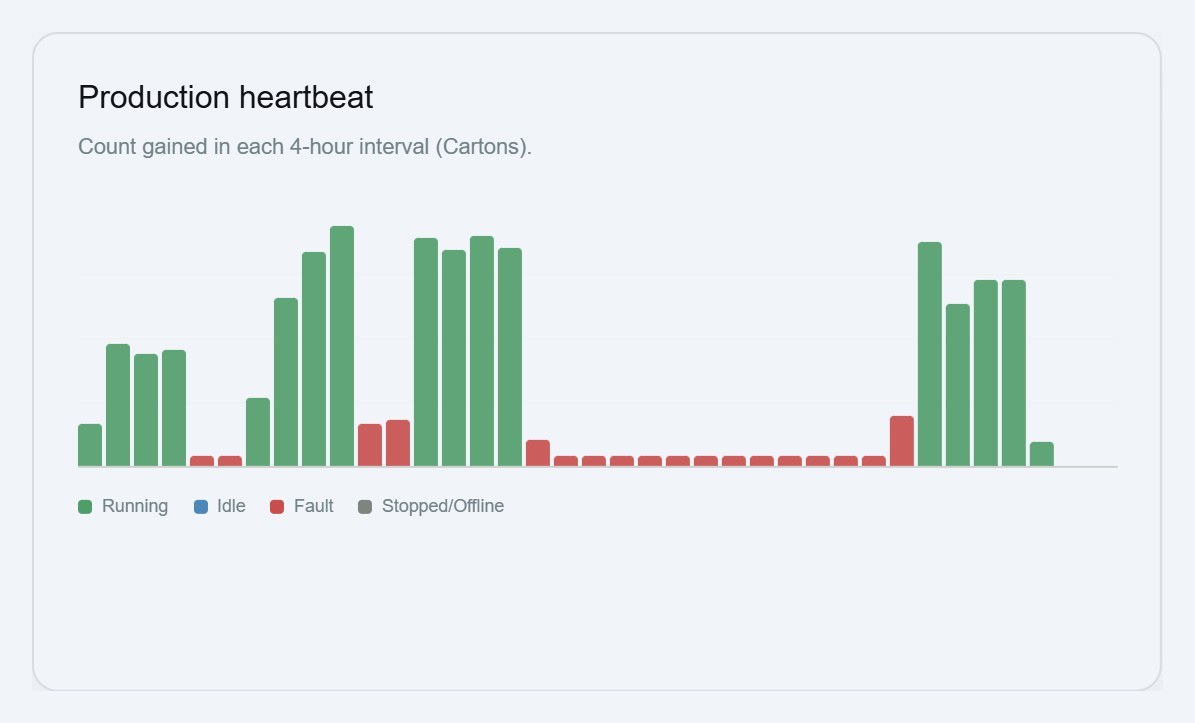
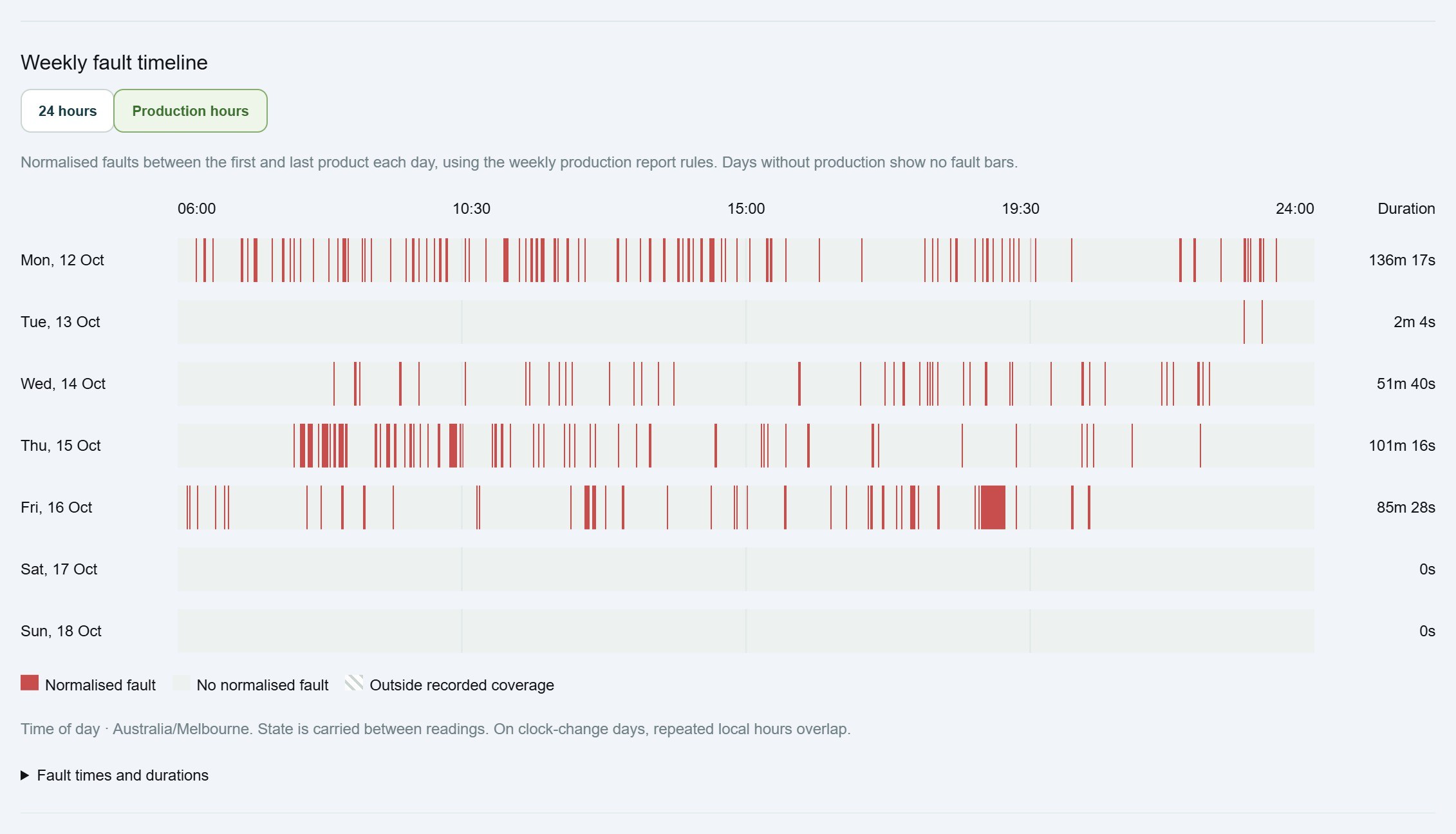
- Production heartbeat: output in each 15-minute interval, which shows micro-stops and slow running at a glance.
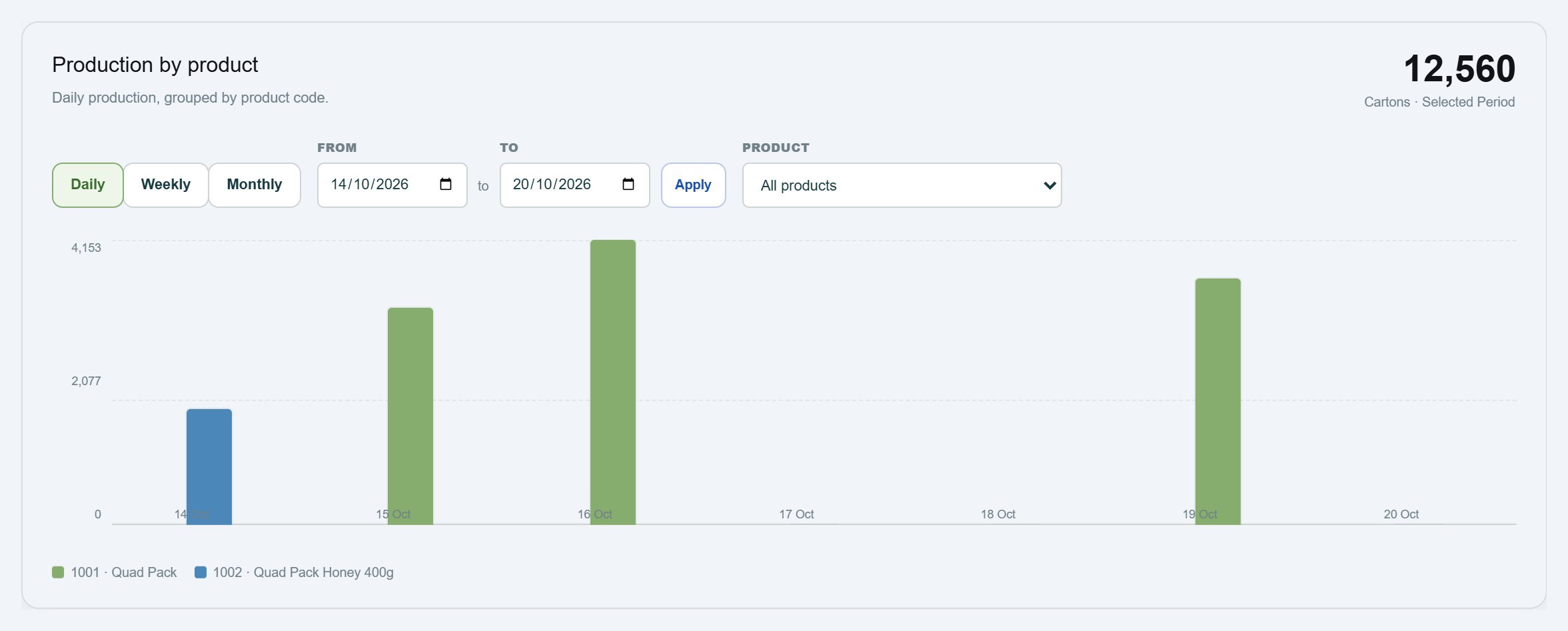
- Production by product, so a slow day can be put down to a difficult product rather than the crew.
“Our machines are old”: what you need to start
You don't need new equipment. You need a PLC, or a gateway in front of it, that can expose a few signals over OPC UA. Many controllers from the last fifteen years can, sometimes with a firmware option or a small configuration change by your controls engineer. The connection should be read-only: the monitoring system must never write values to the controller. Our PLC data collection page covers this in detail.
If a machine isn't ready for a live connection yet, you can still start by importing its production and alarm history as CSV files and connect it live later.
Keep the whiteboard, change its job
Teams sometimes worry that automatic tracking replaces the conversation on the floor. It shouldn't. The whiteboard is still the right place for today's actions. The difference is that the numbers on it now come from the machine, so the conversation can be about fixing the cause instead of arguing about how long the stop really was.
Getting started
Start with the machine that costs you the most: usually the bottleneck, or the one everyone complains about. Collect two weeks of automatic data before changing anything, and compare it with what your manual log said. Most teams are surprised by the gap.
Astara tracks machine downtime automatically from the PLC for small and mid-sized manufacturers, priced per machine. See downtime tracking for details, or contact us to start with one machine.