NEW in Astara - Floor displays: your line, on the big screen
Put every machine’s state, time in state, active alarm and today’s count against plan on a TV beside the line. Pair a screen with a code; 2 displays per site are included in every plan.
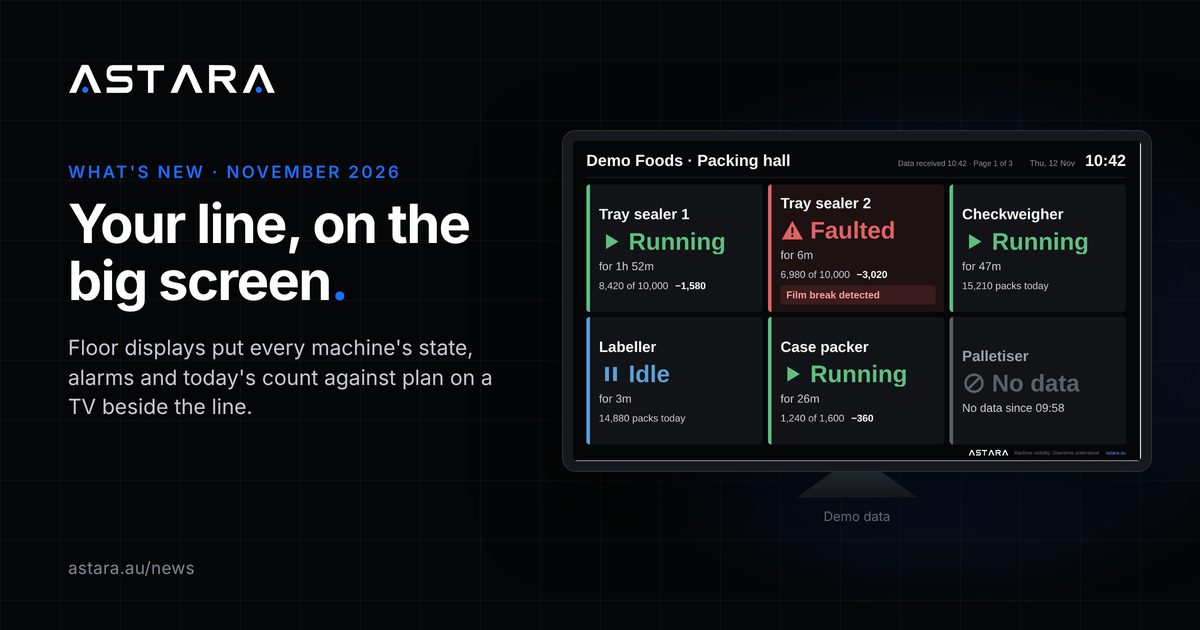
Most of what Astara shows has lived in the workspace: on a desk, a laptop or a phone. The people standing beside the machines rarely had it in front of them. From today, they can. Floor displays put a site's machines on a TV beside the line, in type you can read from across the floor.
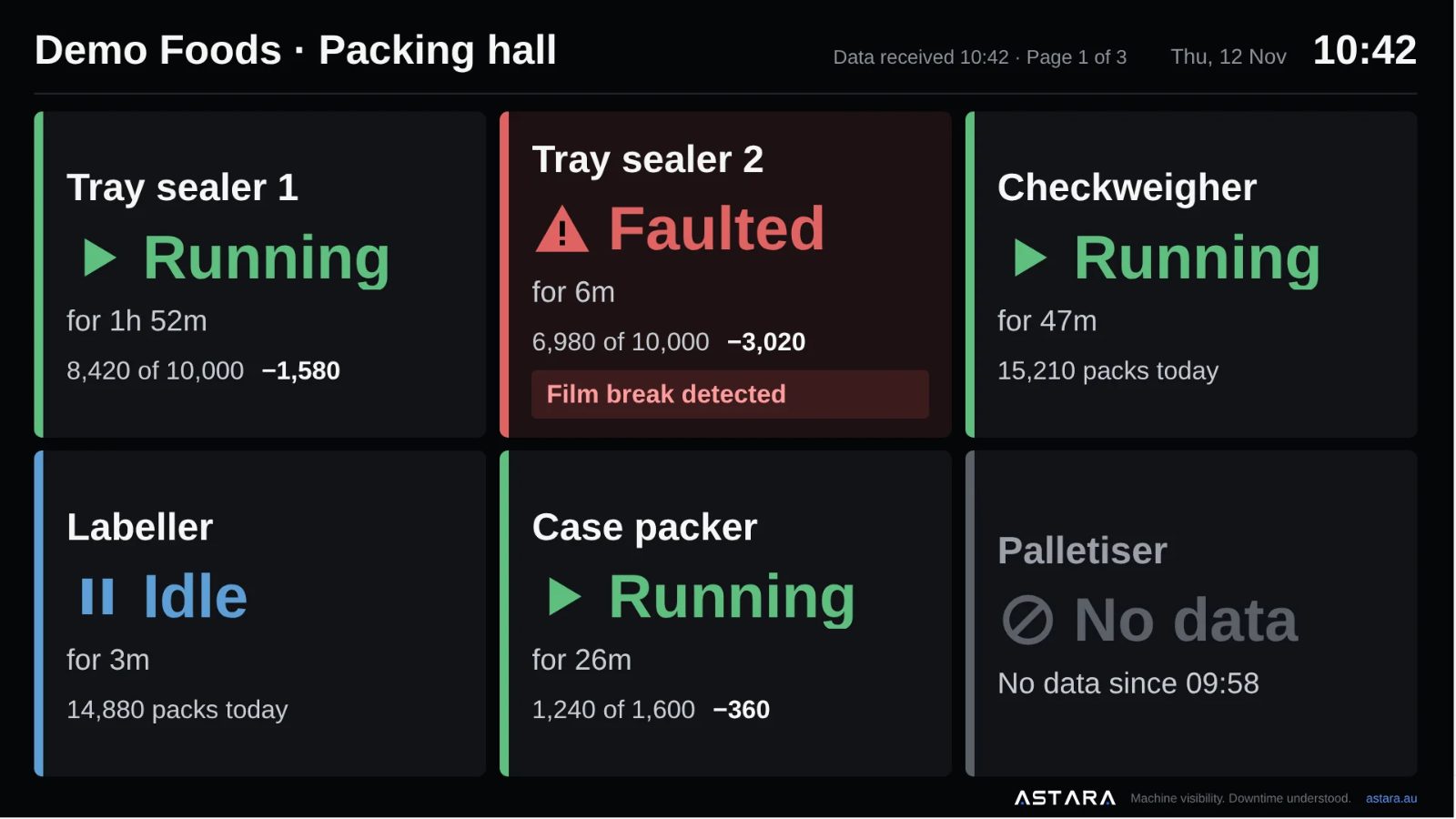
What the board shows
One tile per machine, up to 12 on a page:
State as a word, an icon and a colour, so it never relies on colour alone.
Time in that state, counting on the screen between refreshes.
The active alarm, explained by the machine's own alarm code list.
Today's count and, when the machine has a plan for today, the plan and how far ahead or behind it is.
After the status page, the board can turn to two more pages:
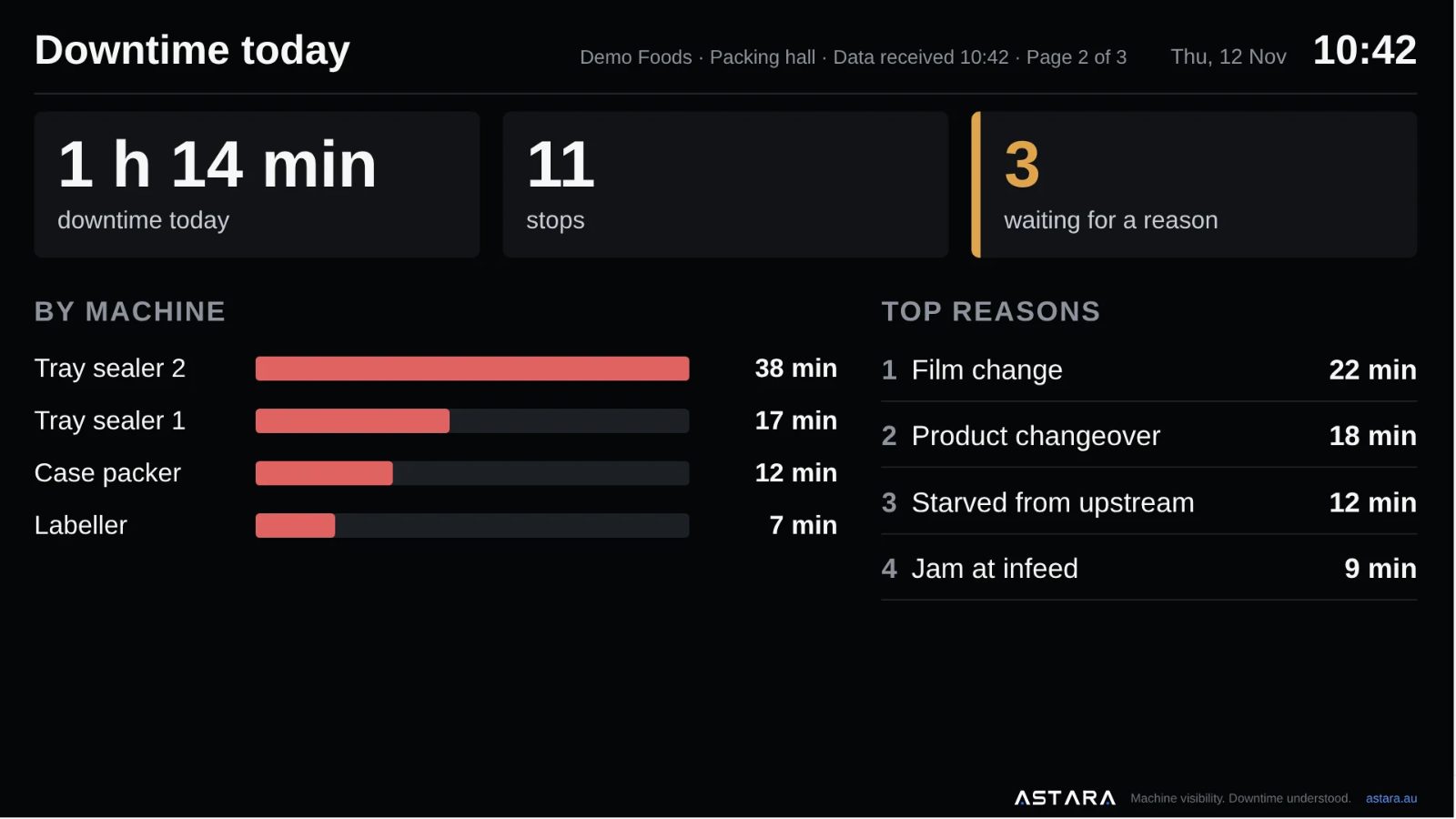
Today's downtime: total downtime and stops, minutes by machine, the top reasons people have assigned, and how many stops are still waiting for a reason. That last number is a prompt for the team to give reasons in the workspace.
Plan vs actual: plan and actual by product for each machine with a plan today. On days without a plan, the page is skipped.
Honest when data stops
A board on the wall is only useful if people can trust it. If a machine stops reporting, its tile turns grey and says No data since 09:58. It is never shown as running, and never counted as a stop. If the screen itself loses its connection, a banner across the top says so and the tiles keep the last data received.
Paired, not signed in
A floor display isn't signed in as a person, so there is no password on the factory floor and no session to time out.
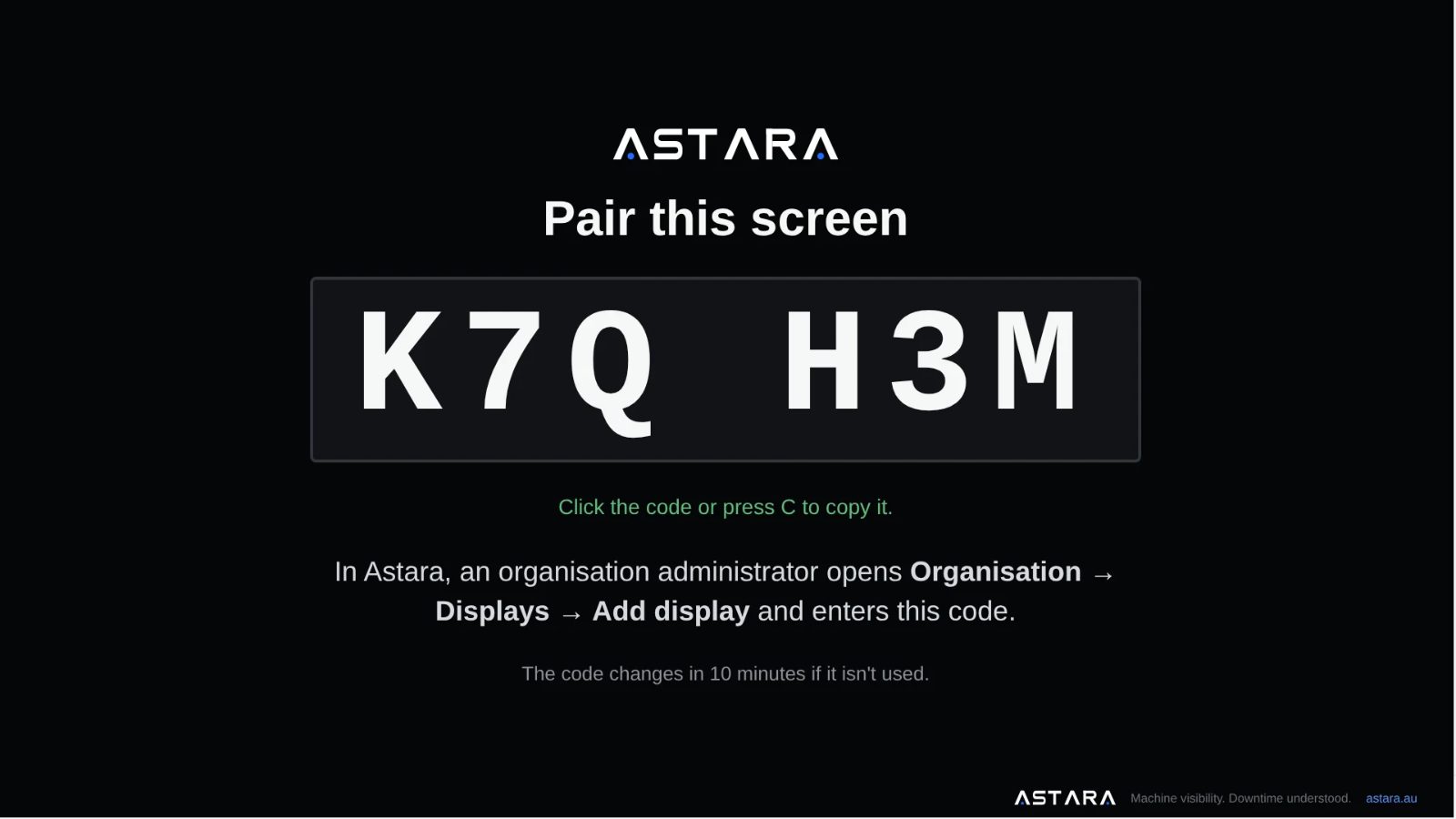
Open astara.au/display on the screen and make the browser full screen. It shows a 6-character code.
An organisation administrator opens Organisation → Displays → Add display, enters the code, chooses the site and names the screen. Pairing from the same computer? Click the code or press C to copy it.
Within a few seconds the board appears.
The screen gets read-only access to that one site's board. It holds no personal data, has no buttons and can't change anything. Revoke it in Organisation → Displays and it goes back to a pairing code within a minute.
Set each screen up your way
Pages: choose whether a display shows today's downtime, plan vs actual, or just machine status.
Page time: 10 to 60 seconds per page.
On-hours: limit a display to working hours. Outside them it shows only a dimmed clock and the site name.
Machine states refresh every minute and today's figures every 5 minutes. For anything that needs action within seconds, the workspace is still the place to look.
What you need
A screen and anything that runs a current version of Chrome, Edge, Firefox or Safari on it, such as a small PC, a stick computer or a laptop, with an internet connection. Smart-TV built-in browsers may work, but we don't support them because many run old browser engines. Every plan includes 2 floor displays per site, at no extra cost.
Also new recently
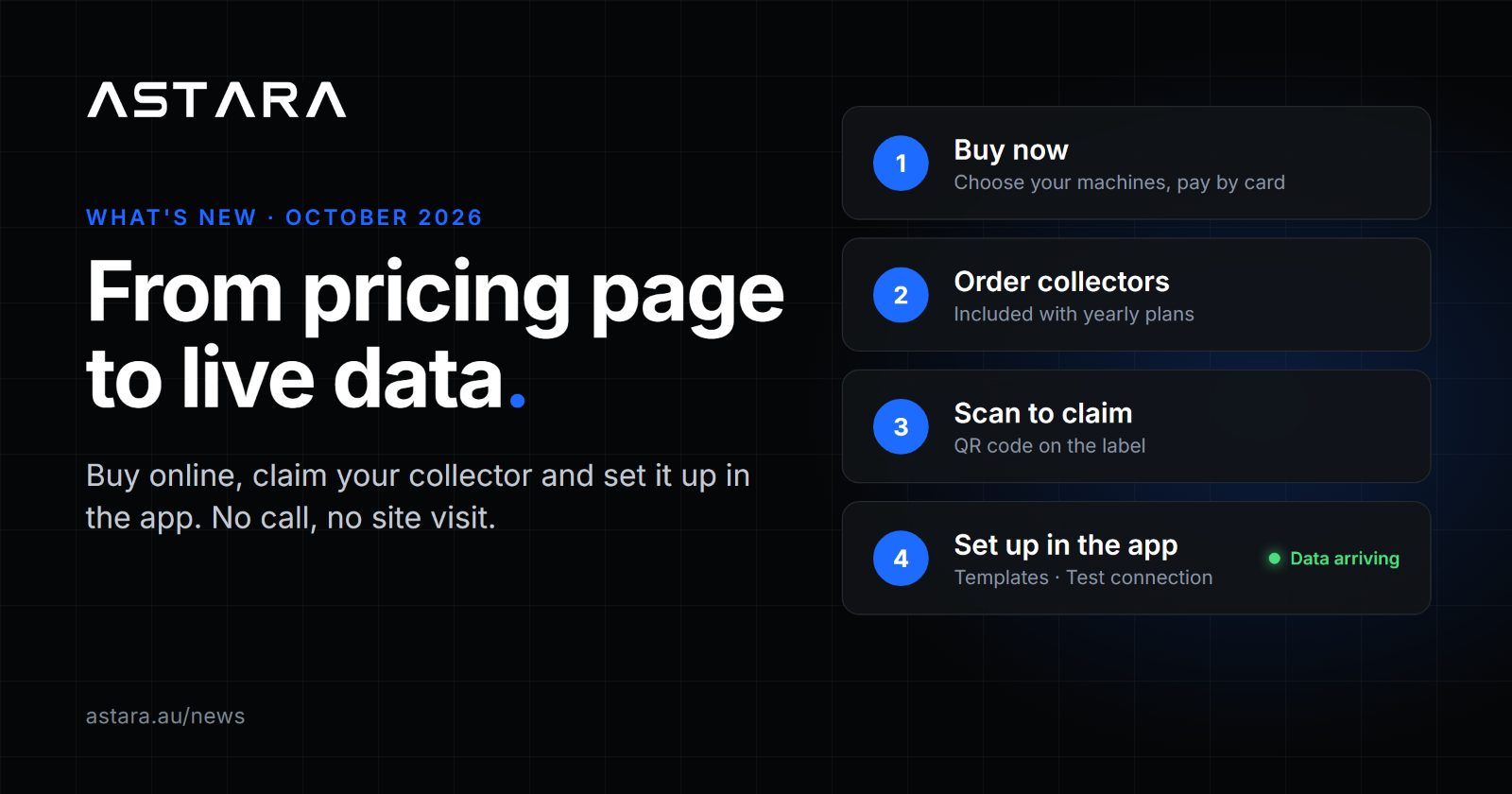
One way to set up a collector. Every collector is now claimed by scanning its label and set up in the app, with the PLC password sent sealed to that unit.
Dates and numbers in one Australian format everywhere in the app, whatever language your browser is set to.
Administration fixes: password reset and deactivation work for every administrator, and deactivating someone ends their access to that organisation only.
Security updates to the libraries Astara is built on.
Read more on the Floor displays page, or book a demo to see a board running.