Manufacturing downtime tracking software: a buyer's guide
What to look for in manufacturing downtime tracking software: automatic capture from the PLC, honest handling of unknown time, fault codes, reason lists, and pricing that suits small plants.
Every manufacturer loses production to downtime. The plants that reduce it are the ones that can see it clearly: every stop, how long it lasted, what was running, and why it happened. Downtime tracking software exists to give you that record. But products in this category vary widely, from a tablet form an operator fills in to a full manufacturing execution system (MES) project. This guide covers what matters when you choose manufacturing downtime tracking software, especially if you run a small or mid-sized plant.
1. Where does the downtime data come from?
This is the most important question, and it decides how far you can trust everything else.
- Manual entry (whiteboards, spreadsheets, tablet forms) depends on someone noticing the stop, timing it and writing it down during a busy shift. Short stops, the two-minute jams that happen forty times a day, almost never get recorded, yet together they are often the largest loss on the line.
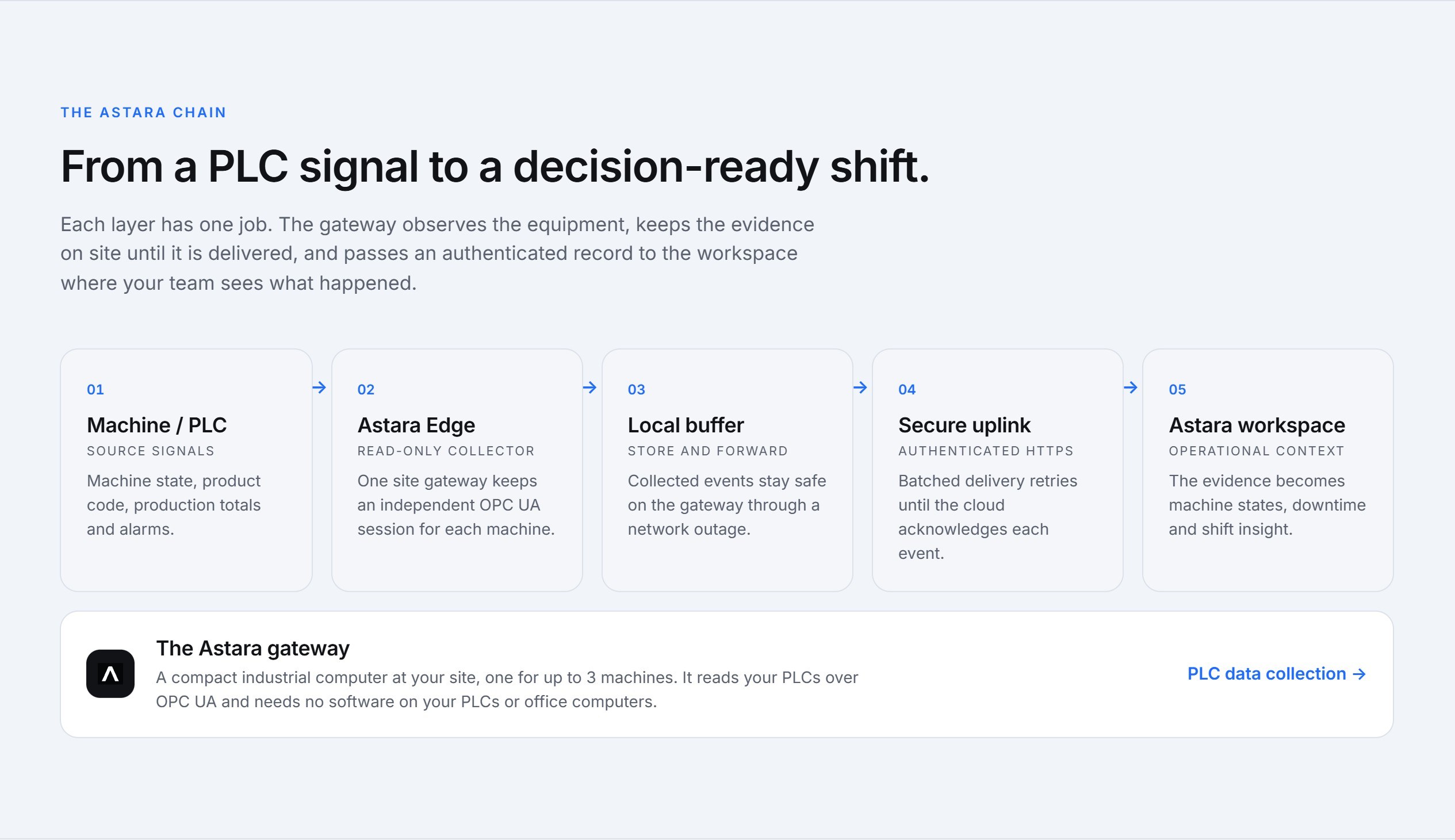
- Automatic capture from the machine reads the machine's state directly from its PLC. Every change from running to stopped becomes a timed interval, whether anyone was watching or not.
Good downtime tracking software captures stops automatically and asks people only for what the machine can't know: the reason.
2. Does it change how your machines run?
Connecting software to production equipment worries engineers, and rightly so. Ask whether the system only reads from the controller or can also write values and call methods. A read-only connection, such as an OPC UA client that only reads and subscribes, cannot change a machine's behaviour. Astara's gateway is read-only for exactly this reason. See PLC data collection.
3. How does it handle time it couldn't see?
Networks drop, gateways lose power, and PLCs get swapped during maintenance. Ask any vendor what their software shows for that time. Many quietly fill it with the last known state, or count it as “stopped”. Both inflate or deflate your downtime figures, and once a supervisor spots a report showing a machine running through a public holiday, nobody trusts the numbers again.
Look for software that:
- buffers data at the site during an internet outage and sends it, in order, when the connection returns;
- shows time it could not observe as unknown or offline, separately from real stops.
4. Does it explain faults, not just stops?
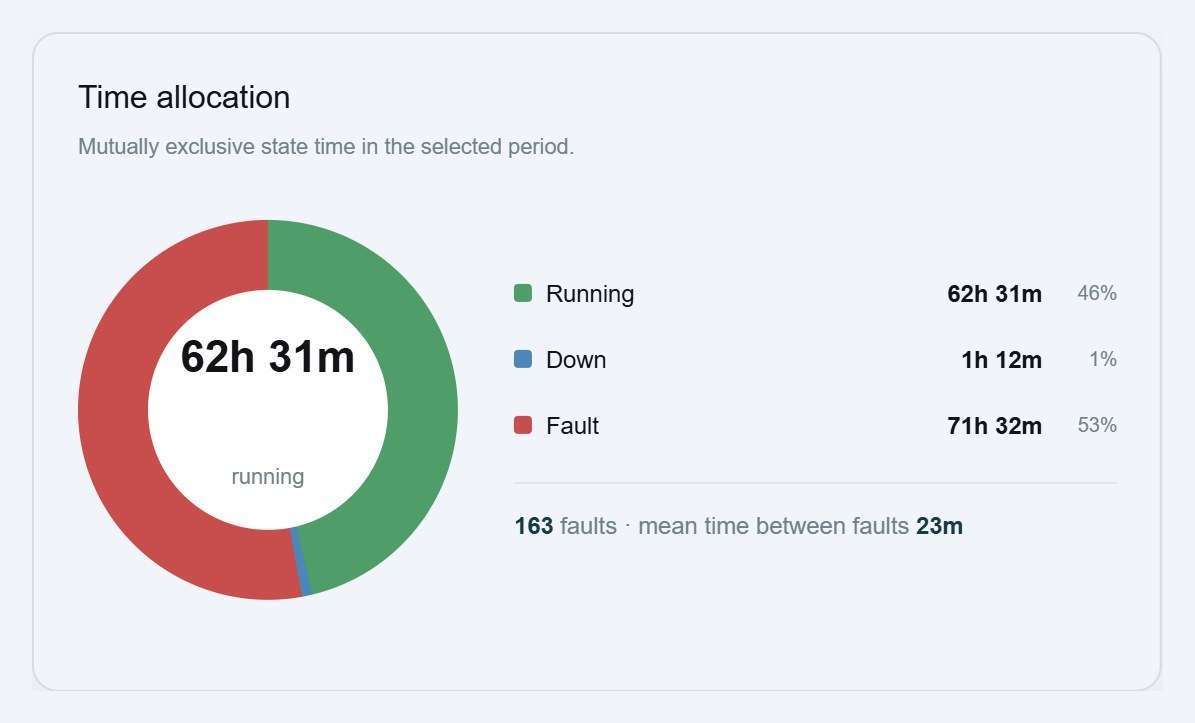
A stop tells you that the line lost time. A fault code tells you why. If your PLC reports alarm numbers, the software should translate them using that machine's own alarm list, because fault 12 on a filler and fault 12 on a case packer are rarely the same thing. That lets you count faults, rank them by lost time, and measure mean time between faults.
5. Can supervisors classify downtime easily?
Automatic capture tells you when, how long and which fault. Context such as “waiting for packaging”, “changeover” or “no operator” still comes from people. Check that:
- the reason list is short and owned by your site, not a generic library of 200 codes;
- classifying a stop takes seconds, after the fact, from a list of stops;
- only the right roles can change the record.
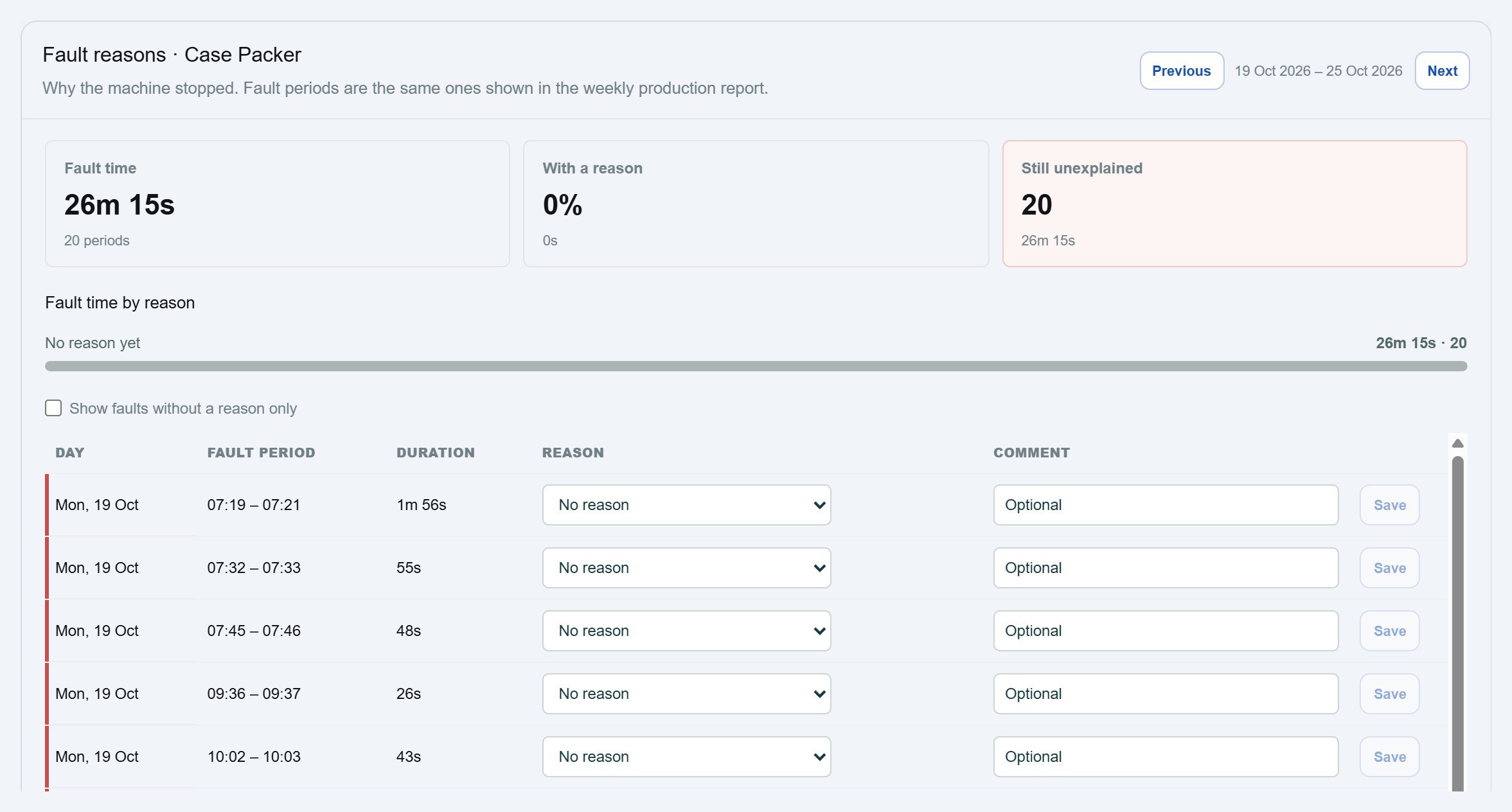
We've written a separate guide to building downtime reason codes your team will actually use.
6. Will you get a dashboard people actually open?
The best downtime data is useless if nobody looks at it. Look for:
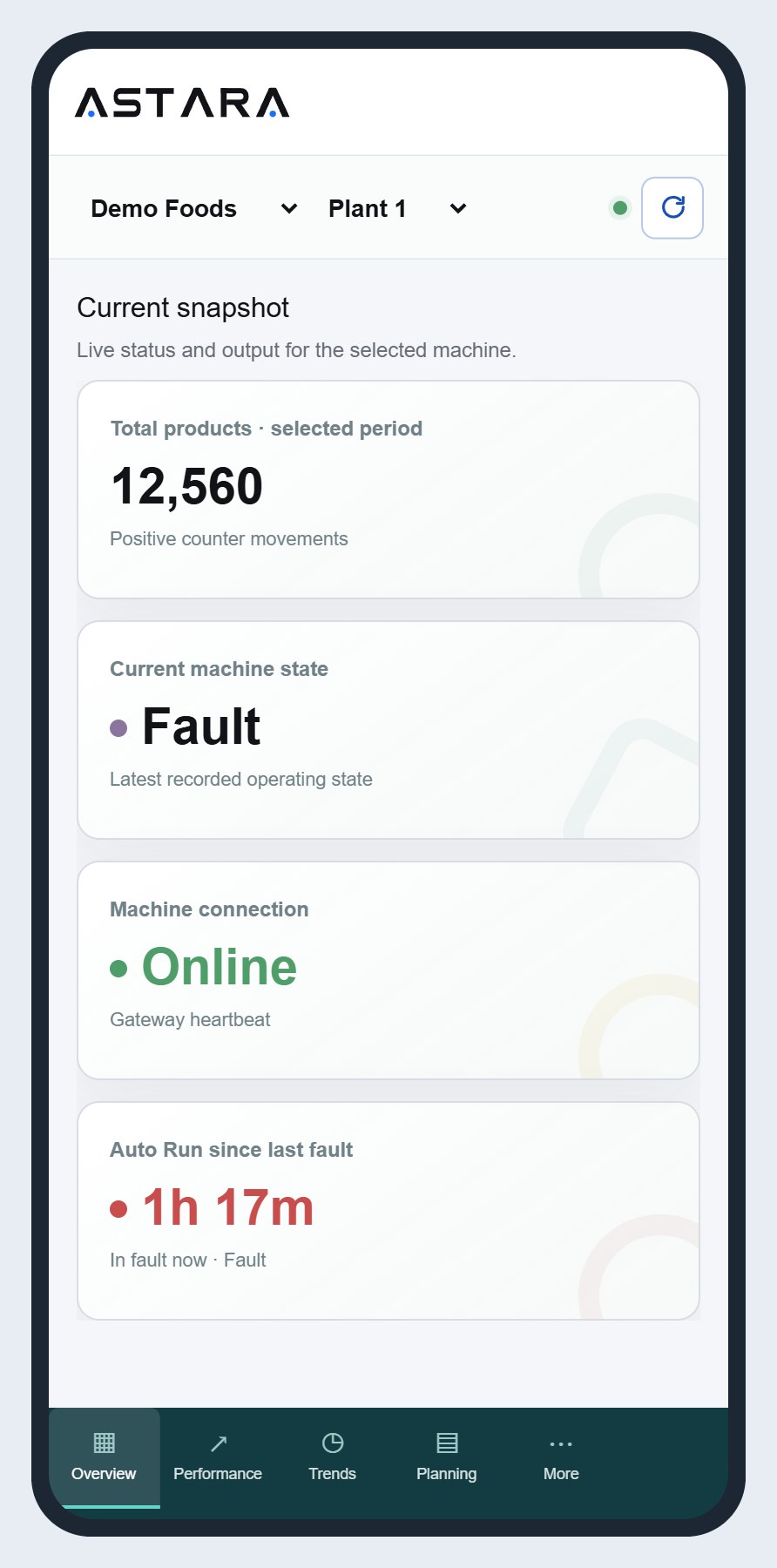
- a live snapshot: what each machine is doing now, and output so far;
- time by machine state for any period: running, idle, fault, stopped and offline;
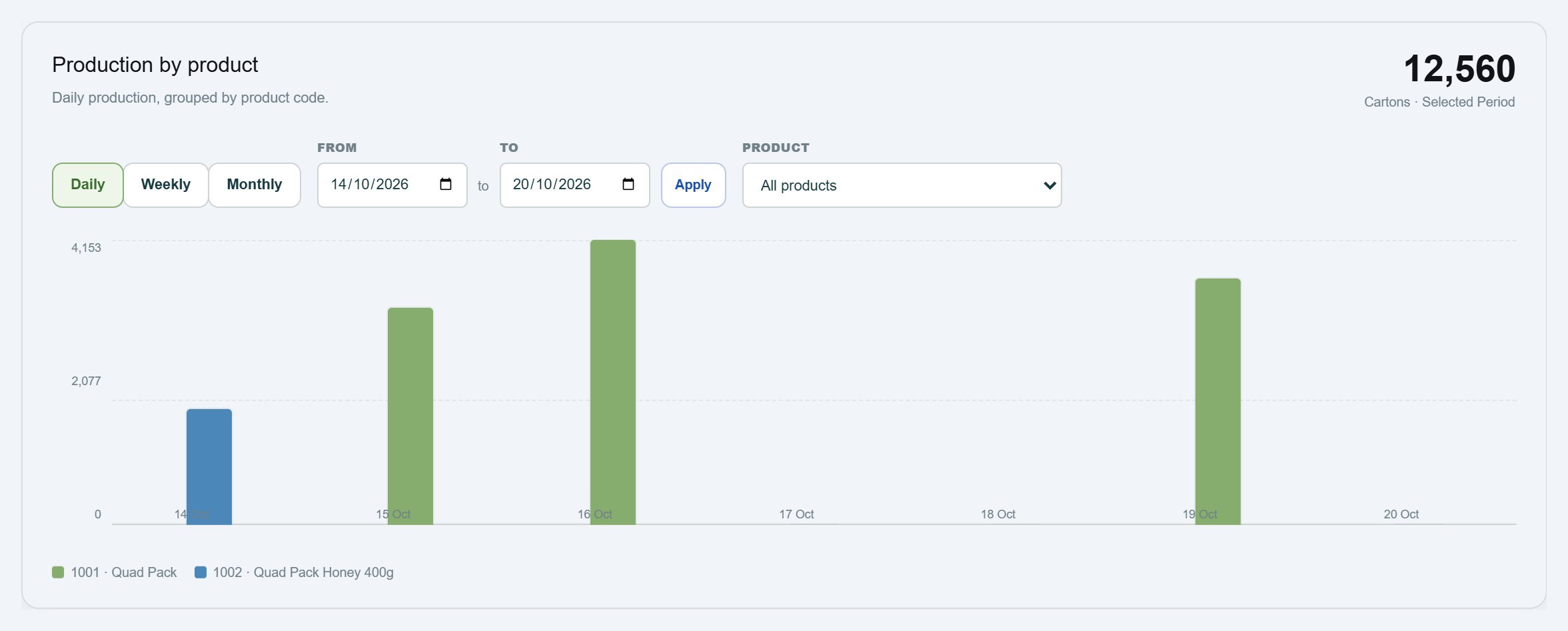
- production by product, so a slow day can be explained by the product mix;
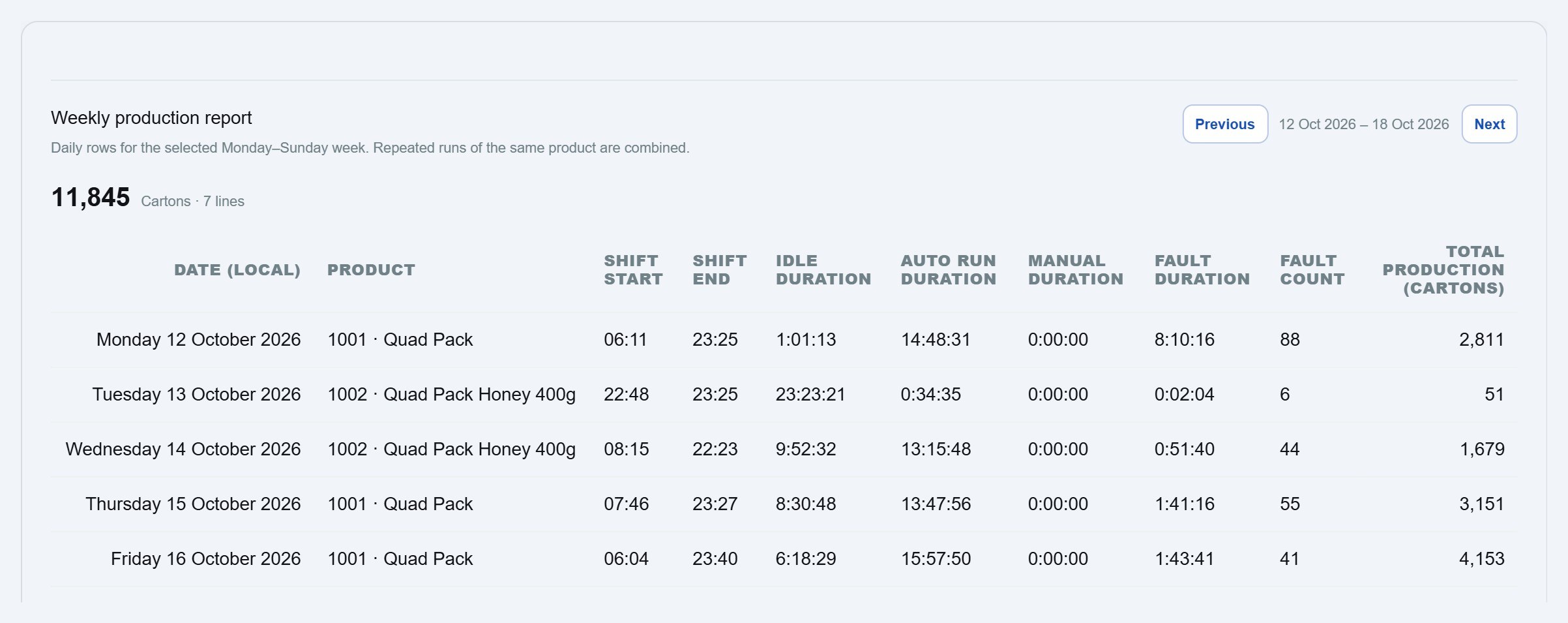
- a weekly report you can take into the production meeting.
7. Is it priced for a small plant?
Enterprise MES pricing assumes dozens of lines and an IT team. For a plant with three to fifteen machines, look for pricing per machine with unlimited users, the ability to start with one machine, and no long implementation project. Astara is priced per connected machine, with everyone in your organisation included.
8. Where is your data kept, and who owns it?
Your production data shows your volumes, your customers' products and your plant's weaknesses. Ask where it is hosted, whether it is separated from other customers' data at the database level, and confirm that it belongs to you. Astara's application database is in Australia, and each customer's data is isolated by the database itself.
A short checklist
- Stops captured automatically from the PLC
- Read-only connection to the controller
- Store-and-forward during network outages
- Unknown time shown as unknown
- Fault codes explained per machine
- Short reason list, quick classification, role-based access
- Live snapshot, state-time breakdown, production by product, weekly report
- Per-machine pricing, start with one machine
- Data hosted in Australia, owned by you
Astara was built to tick every box on that list for small and mid-sized Australian manufacturers. Read more on the downtime tracking page, or talk to us about starting with one machine.